
Most SEO problems are invisible from the front end. A site can look flawless to visitors while search engines run into broken links, duplicate pages, blocked or non-indexed URLs, orphaned content, slow-loading templates, or missing metadata – none of which show up when you simply look at the page. SEO audit tools exist to surface exactly that hidden layer: they crawl or analyze a site, inspect it against technical, on-page, performance, indexing, and structural criteria, and hand back a prioritized list of what’s wrong and what to fix first.
This guide compares ten of the strongest options in 2026 – but it’s built to help you decide, not just to list software. That means being clear about the real distinctions: dedicated crawlers versus all-in-one suites versus Google’s own first-party data, what a tool can detect versus what still needs human judgment, and which features actually matter for your site’s size, type, and workflow. Most teams end up running two or three of these together rather than betting on one.
Quick Answer
SEO audit tools crawl or analyze websites to identify technical, on-page, performance, indexing, and structural issues that may affect search visibility. Popular options in 2026 include Semrush, Ahrefs, Screaming Frog, Sitebulb, SE Ranking, Moz Pro, and Google Search Console, each suited to different audit needs. Google Search Console is uniquely useful for checking what Google actually knows about your site – indexing status and page-level inspection – while crawler-based tools provide broader site-level analysis of what exists on the site itself.
What Is an SEO Audit Tool?
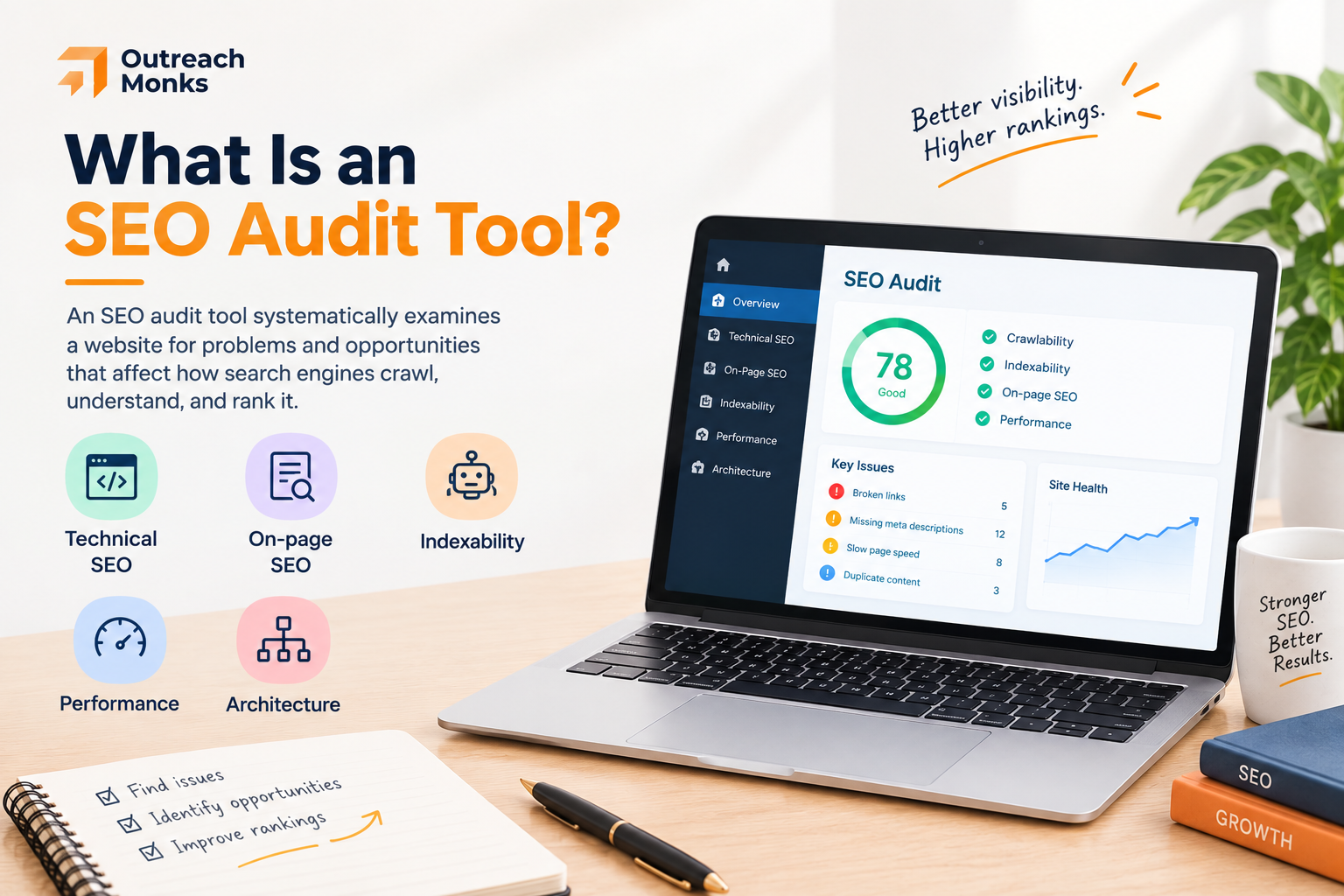
An SEO audit tool systematically examines a website for problems and opportunities that affect how search engines crawl, understand, and rank it. Rather than checking pages by hand, the tool does it at scale and organizes the findings. Most cover five broad categories:
- Technical SEO. Crawlability, redirects, canonicalization, HTTPS, robots directives, JavaScript rendering, and HTTP status codes – the machinery that determines whether search engines can access your content at all.
- On-page SEO. Title tags, meta descriptions, headings, duplicate and thin content, image attributes, and internal links.
- Indexability. Whether your important URLs can actually be crawled and indexed – and, just as important, whether unimportant ones are being indexed when they shouldn’t be.
- Performance. Page speed, Core Web Vitals, mobile usability, and heavy resources that slow rendering.
- Architecture. Crawl depth, internal linking, orphan pages, and URL structure – how well the site is organized for both users and crawlers.
Google’s own documentation points to crawling, indexing, robots.txt, sitemaps, canonicalization, JavaScript, mobile pages, and metadata as the core areas of technical search management – which maps closely onto what a good audit tool checks.
How We Evaluated the SEO Audit Tools
The tools below are compared against a consistent set of criteria rather than ranked on gut feel: audit depth, technical SEO coverage, crawling capability, JavaScript rendering, indexability analysis, on-page checks, internal-link analysis, Core Web Vitals and performance data, issue prioritization, reporting and exports, scheduled audits, integrations, ease of use, scalability, free-versus-paid access, and emerging AI and GEO capabilities.
One principle guided all of it: the number of issues a tool detects is not a measure of quality. A crawler that flags 4,000 problems without telling you which ten actually matter has produced a backlog, not an audit. Prioritization and interpretability count for more than raw check counts, and that shapes where each tool lands below.
Quick Comparison Table
| Tool | Best For | Standout Strength | Free Option |
|---|---|---|---|
| Semrush Site Audit | Full SEO workflows | Auditing inside a broader SEO suite | Limited |
| Ahrefs Site Audit | Technical SEO | Detailed issue categorization | Limited |
| Screaming Frog | Technical SEOs & devs | Deep crawling & URL-level control | Yes (500 URLs) |
| Sitebulb | Audits & reporting | Visualizations & prioritized Hints | Trial |
| SE Ranking | Agencies & growing sites | Flexible audits + reporting | Trial |
| Moz Pro Site Crawl | Monitoring site health | Crawl tracking over time | Trial |
| SEOptimer | SMBs & agencies | Simple audits + white-label reports | Limited |
| Sitechecker | Recurring monitoring | Page-level tracking & alerts | Trial |
| Google Search Console | Indexing diagnostics | First-party Google data | Yes |
| Morningscore | Beginners | Approachable, gamified workflow | Trial |
Check counts and prices cited below are what each tool currently advertises and change often – for example, Screaming Frog currently lists 300+ issues with a free crawl of up to 500 URLs, Ahrefs 170+ issues, and Sitebulb 300+ issues. Verify current figures on each provider’s own site before relying on them.
The 10 Best SEO Audit Tools in 2026
We’ve compared the leading SEO audit tools to help you find the right fit for your website, workflow, and budget.
1. Semrush Site Audit – Best for All-in-One SEO Workflows
Semrush’s Site Audit stands out less for any single check than for where it sits: inside a full SEO and marketing platform. A crawl produces a Site Health score, groups issues by severity, and lets you compare audits over time and schedule recurring crawls – but the real advantage is that every problem it finds sits next to your keyword, backlink, and competitive data, so diagnosis flows straight into strategy.
It currently covers 140+ technical issues and has added an AI Search category that checks whether major AI crawlers can access your pages.
Pros:
- Audit data connected to a full SEO/marketing toolkit
- Clear severity grouping and historical comparison
- AI crawler accessibility checks built in
Cons:
- Full value requires a Semrush subscription
- Free access is capped (roughly 100 URLs)
- Can be more than a purely technical audit needs
Pricing (indicative): Paid plans from roughly $139.95/mo; limited free crawl.
Best for: SEO teams, agencies, and businesses that want auditing inside a broader workflow rather than as a standalone task.
2. Ahrefs Site Audit – Best for Technical SEO with Research Context

Ahrefs approaches auditing from the same philosophy as Semrush but with its own strength: pairing technical findings with the backlink and keyword data Ahrefs is known for. Its Site Audit currently checks 170+ technical and on-page issues – indexability, redirects, duplicate content, internal links, structured data, JavaScript, and performance – and returns an overall health score with recommendations and visualizations. If you already live in Ahrefs for research, having the audit in the same place means a flagged page comes with its ranking and link context attached.
Pros:
- Thorough issue categorization with clear recommendations
- Ranking and backlink context alongside technical findings
- Reliable crawling with scheduling
Cons:
- Best value only if you already use Ahrefs
- No genuinely free tier for ongoing auditing
- Interface has a learning curve for newcomers
Pricing (indicative): Paid plans from roughly $129/mo; limited free tools via Ahrefs Webmaster Tools.
Best for: SEOs who want technical auditing in the same tool as their backlink and keyword research.
3. Screaming Frog SEO Spider – Best for Deep Technical Audits

Screaming Frog is the technical SEO’s scalpel. It’s a desktop crawler that gives you URL-level control most cloud tools don’t: broken links and redirect chains, status codes, metadata, canonicals, robots directives, XML sitemaps, JavaScript rendering, structured data, crawl depth, and duplicate content – plus custom extraction and log-file and analytics integrations for people who want to interrogate a site properly. It currently advertises 300+ SEO issues, and recent 2026 releases added crawl auto-comparison and an MCP server for AI-assisted crawl workflows. The free version crawls up to 500 URLs.
Pros:
- Unmatched crawl control and technical depth
- Generous free tier (500 URLs) and low paid cost
- Custom extraction, JS rendering, and log-file analysis
Cons:
- Steeper learning curve; not beginner-friendly
- Desktop app relies on your own machine’s resources for big crawls
- Reporting is functional rather than client-polished
Pricing (indicative): Free up to 500 URLs; paid around $259/year per user.
Best for: Technical SEOs and developers who want maximum crawl control and raw, URL-level detail.
4. Sitebulb – Best for Turning Crawl Data into Understandable Findings
Where Screaming Frog hands you the raw data, Sitebulb is built to make sense of it. Its defining feature is prioritized “Hints” – each flagged issue comes with why it matters and how to fix it – layered on top of visual crawl maps that make site architecture and internal linking legible at a glance. It handles JavaScript rendering, hreflang, structured data, XML sitemap and accessibility reports, audit comparison, and scheduled crawls, and its PDF reporting is genuinely client-ready. It currently covers 300+ issues. Desktop suits sites under ~10,000 URLs; cloud handles larger ones.
Pros:
- Prioritized, explained Hints instead of a raw issue dump
- Strong visualizations and client-ready reports
- Audit comparison and scheduling
Cons:
- No permanently free tier (trial only)
- Very large crawls push you to the pricier cloud option
- Less raw extraction flexibility than Screaming Frog
Pricing (indicative): Paid from roughly $13.50/mo; free trial available.
Best for: Technical SEOs and agencies who need to explain audit findings clearly to clients or stakeholders.
5. SE Ranking Website Audit – Best for Agencies and Growing Sites
SE Ranking occupies the practical middle ground between a bare crawler and an expensive enterprise suite. Its audit groups issues sensibly, tracks them on a comparison dashboard, monitors page changes, and produces agency-oriented reports, with AI-assisted recommendations and ties into its own keyword, ranking, and backlink tools.
For an agency or a growing site that wants recurring, presentable audits without an enterprise budget, it hits a useful balance of capability and cost.
Pros:
- Recurring audits with comparison and change monitoring
- Agency-friendly, presentable reporting
- Good value relative to the premium suites
Cons:
- Not as deep as a dedicated crawler on technical edge cases
- Crawl limits on lower tiers
- Smaller ecosystem than Semrush or Ahrefs
Pricing (indicative): Paid from roughly $65/mo; free trial available.
Best for: Agencies and growing businesses wanting flexible, recurring audits with client reporting.
6. Moz Pro Site Crawl – Best for Tracking Site Health Over Time

Moz Pro’s Site Crawl is less about being the deepest crawler and more about steady monitoring. It surfaces crawl issues, duplicate content, missing metadata, and redirects, tracks a site-health trend over time, and lets you mark issues as fixed or ignored between crawls so the list reflects real progress rather than the same warnings on repeat. Inside the broader Moz Pro ecosystem, it suits teams that want approachable, ongoing health tracking over exhaustive technical depth.
Pros:
- Clear health tracking over time
- Mark-as-fixed/ignored keeps the issue list meaningful
- Approachable within a familiar SEO ecosystem
Cons:
- Less technical depth than dedicated crawlers
- Crawl limits vary by plan
- Interface feels less modern than some rivals
Pricing (indicative): Paid from roughly $99/mo; free trial available.
Best for: Teams that want to monitor site health continuously rather than run occasional deep crawls.
7. SEOptimer – Best for Simple Audits and Client-Ready Reporting

SEOptimer earns its place on usefulness for agencies and small businesses rather than technical depth. It runs fast, understandable audits across on-page, links, usability, performance, and local SEO, and its standout is presentation: white-label PDF reports and an embeddable audit form that doubles as a lead-generation tool on an agency site, backed by an API. When the priority is a clear, client-facing audit rather than a forensic crawl, it delivers without the weight of a full suite.
Pros:
- Clean, understandable audits and white-label reports
- Embeddable audit form for lead generation
- API access for automation
Cons:
- Not built for deep technical crawling
- Limited free access
- Less suited to large, complex sites
Pricing (indicative): Paid from roughly $29/mo; limited free audit available.
Best for: SMBs and agencies that need understandable audits and client-ready reporting without a heavyweight platform.
8. Sitechecker – Best for Ongoing Website Monitoring

Sitechecker ties audit data to continuous monitoring. Its crawler currently checks 100+ potential issues – broken links, redirects, status codes, canonicals, robots tags, titles, H1s, content problems, internal and external links, and page speed – and pairs them with page-level tracking and change alerts, so you find out when something breaks rather than at the next manual crawl. That monitoring bent makes it a fit for teams that want audit findings folded into ongoing site oversight.
Pros:
- Recurring monitoring with page-level change alerts
- Clear, guided fixes for detected issues
- Approachable interface
Cons:
- Fewer total checks than the deepest crawlers
- Best value depends on ongoing use, not one-off audits
- Smaller ecosystem than the major suites
Pricing (indicative): Paid from roughly $49/mo; free trial available.
Best for: Teams that want audit data tied to ongoing monitoring and alerting.
9. Google Search Console – Best for First-Party Google Diagnostics

Google Search Console isn’t a traditional crawler, and that’s precisely why it belongs on this list. Every other tool tells you what exists on your website; GSC tells you what Google actually knows about it.
Its Page Indexing report shows which URLs are indexed and, crucially, why others aren’t; URL Inspection gives page-level indexing and availability straight from Google; and Search performance, sitemaps, Core Web Vitals, mobile, manual actions, and security reports round it out. It’s free, and it’s the one source of ground truth no third-party crawler can replicate.
Pros:
- First-party indexing and search-performance data from Google
- Page-level inspection with real indexing reasons
- Completely free
Cons:
- Not a full site-level crawler or issue-prioritization engine
- No competitor data
- Reporting is diagnostic, not client-facing
Pricing (indicative): Free.
Best for: Every site – as the first-party complement to whatever crawler you use.
10. Morningscore – Best for Beginners and Small Teams
Morningscore trades forensic depth for approachability. It bundles site audits and SEO health checks with plain-language explanations of each issue, plus keyword visibility, backlink data, competitor analysis, and a task-based, lightly gamified workflow that guides non-experts through what to do next.
It isn’t trying to out-crawl Screaming Frog; it’s trying to make SEO legible and actionable for people who find the big platforms intimidating.
Pros:
- Beginner-friendly, plain-language issue explanations
- Guided, task-based workflow
- Audit plus keyword and backlink basics in one place
Cons:
- Not for deep technical audits
- Less granular control than specialist crawlers
- Trial-based rather than free
Pricing (indicative): Paid from roughly $59/mo; free trial available.
Best for: Beginners and small marketing teams who want an approachable SEO workflow.
Which Type of SEO Audit Tool Do You Need?
The most useful way to choose an audit tool is to start with the job you need it to perform, not with the largest feature list. The main categories overlap, but they solve different problems.
| Workflow | What it is best at | Typical choice |
|---|---|---|
| Dedicated crawler | Deep technical analysis, URL-level control, custom extraction | Screaming Frog or Sitebulb |
| All-in-one SEO platform | Audit plus keyword, backlink, competitive, and reporting workflows | Semrush, Ahrefs, SE Ranking, or Moz Pro |
| Simplified audit/monitoring | Accessible findings, recurring monitoring, and client reporting | SEOptimer, Sitechecker, or Morningscore |
| First-party Google diagnostics | Search performance, indexing reports, URL inspection, and Google-specific signals | Google Search Console |
These categories are complementary. For example, a crawler can tell you that a URL returns a redirect or has a canonical signal, while Search Console can provide first-party information about Google’s reported indexing status. An all-in-one platform can then connect technical findings with keyword and backlink context.
Free vs. Paid SEO Audit Tools
Free tools go further than newcomers expect, and for smaller sites they can be enough on their own.
- Free options handle well: indexing and search-performance data (Google Search Console), basic technical checks, small-site crawling (Screaming Frog’s free 500-URL tier), and specific point diagnostics.
- Paid tools earn their cost when you need: large crawls, historical audit comparison, scheduled and recurring audits, client reporting, advanced segmentation, JavaScript rendering at scale, agency workflows, multiple projects, and detailed exports.
A sensible starting stack for a small site is entirely free: Google Search Console plus a free Screaming Frog crawl covers a surprising amount. Move to paid when crawl limits, reporting needs, or the number of sites you manage make the free workflow the bottleneck – not before.
Auditing Ecommerce and Large Sites
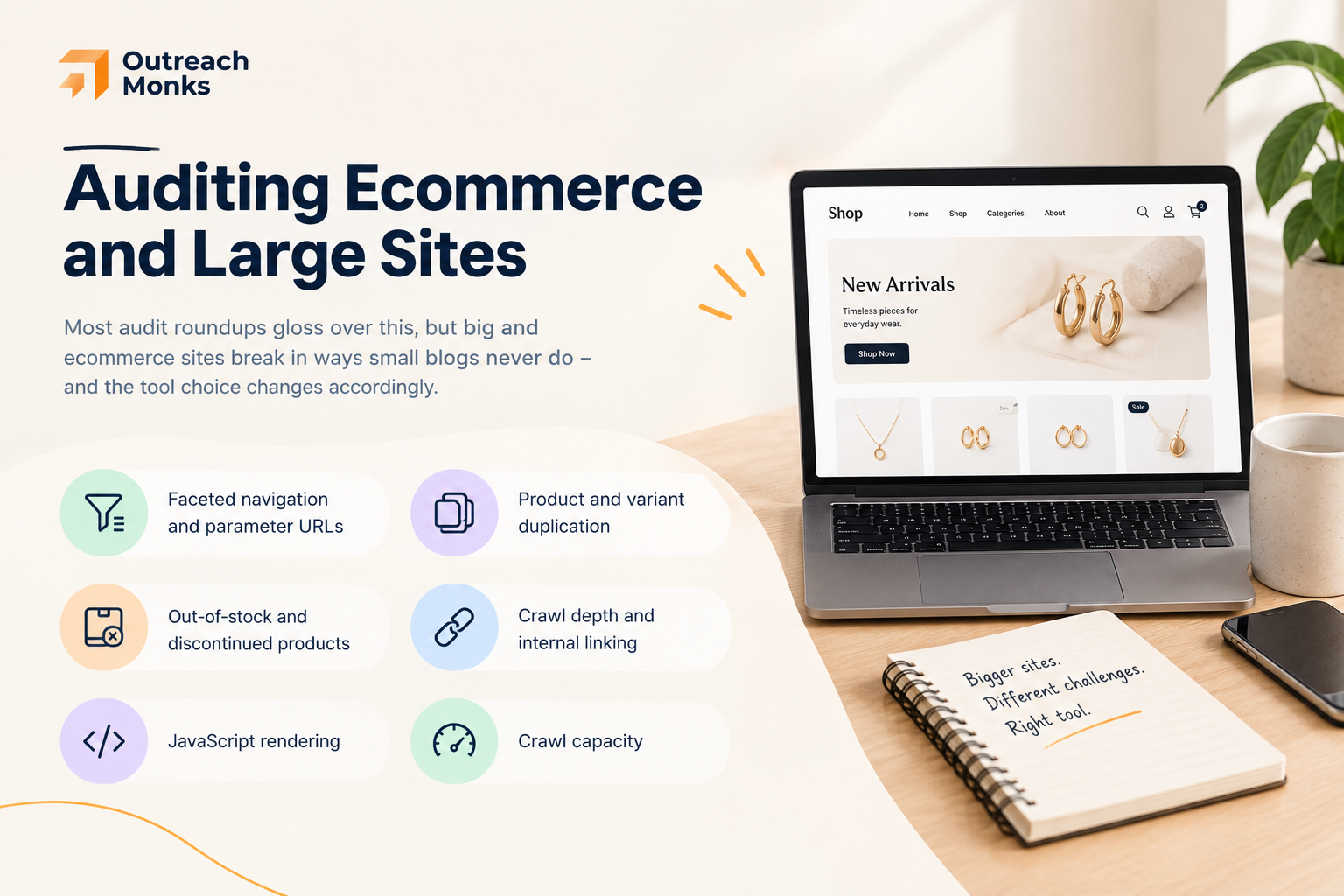
Most audit roundups gloss over this, but big and ecommerce sites break in ways small blogs never do – and the tool choice changes accordingly.
Large and ecommerce sites create audit problems that are less common on small brochure sites or blogs. The audit tool matters because the crawl itself can become part of the technical challenge.
- Faceted navigation and parameter URLs: filters for size, color, price, sorting, and other attributes can generate large numbers of near-duplicate URLs. The audit should expose how these URLs are linked, crawled, canonicalized, and potentially indexed.
- Product and variant duplication: variations can create repeated or near-identical content. The correct treatment depends on the site’s architecture and search strategy; a crawler can surface the relationships, but it cannot decide the correct canonical or indexation strategy by itself.
- Out-of-stock and discontinued products: audit status codes, internal links, redirects, and indexation patterns so product lifecycle decisions do not create avoidable dead ends.
- Crawl depth and internal linking: important category and product pages should be discoverable through a sensible internal-link structure rather than being buried unnecessarily deep.
- JavaScript rendering: if important content, links, prices, or other elements depend on JavaScript, compare raw and rendered output and verify that critical content is accessible to relevant crawlers.
- Crawl capacity: a tool that works well for a 5,000-URL site may not be the right operational choice for a site with hundreds of thousands of URLs.
How to Read an Audit: Severity Over Volume
The most common mistake with audit tools isn’t choosing the wrong one – it’s misreading the output. A few principles keep a crawl from becoming a demoralizing, unproductive to-do list.
- Not every flagged issue matters equally. Audit tools grade findings – errors, warnings, notices – for a reason. An error blocking indexation of a key page is urgent; a missing meta description on a tag archive usually isn’t. Triage by impact on crawling, indexing, and important pages before touching anything.
- An audit score is not a ranking. A 92 Site Health score means the tool’s checklist is mostly satisfied, not that you’ll rank. Rankings depend on content quality, intent match, authority, and competition – most of which a crawler can’t see. Treat the score as a hygiene signal, not a performance metric.
- Reconcile conflicting tools. Different crawlers use different methodologies and will disagree. When two tools report different things, don’t average them – understand why they differ (crawl settings, rendering, sampling) and check the actual page.
- Some things need a human. A tool can flag thin content; it can’t tell you whether the page actually answers the query better than what ranks. It can flag a redirect; it can’t tell you whether the redirect target is the right one. The crawl is the starting point for judgment, not a substitute for it.
- Re-crawl after fixes. An audit is a snapshot. After you implement changes, re-crawl to confirm the fixes landed and didn’t introduce new issues – and, for indexing questions, verify in Search Console rather than trusting the crawler alone.
AI Search and AI Crawler Accessibility in 2026
A genuinely new 2026 consideration is whether AI systems can access and use your content. Some audit tools have added checks for this – Semrush, for example, currently includes AI crawler accessibility within Site Audit, and Screaming Frog can integrate with AI models for crawl-assisted analysis.
It’s worth being precise about what these checks actually do. AI crawler accessibility verifies whether bots like GPTBot and other AI crawlers are permitted to reach your pages (via robots directives) and whether your content is available in the HTML they can read, rather than locked behind JavaScript they may not render. That’s real and useful – if AI crawlers are blocked or your content is invisible to them, you can’t be surfaced in AI answers at all.
What accessibility does not do is guarantee citation. Being crawlable by an AI system is a prerequisite for appearing in AI-generated answers, not a promise of it – just as being crawlable by Google is necessary but not sufficient for ranking.
Treat AI-crawler checks as a hygiene layer: make sure you’re accessible and your content is in readable HTML, then rely on genuine content quality, clear structure, and topical authority to actually earn inclusion. Be skeptical of any tool that implies a checkbox will get you cited by ChatGPT or Gemini.
What Should You Check During an SEO Audit?
Whatever tool you use, a thorough audit covers the same ground. Use this as a checklist:
| Area | What to investigate | Why it matters |
|---|---|---|
| Crawling | Status codes, redirects, robots directives, internal links, crawl paths | Search engines need reliable access to important resources and URLs |
| Indexability | Noindex signals, canonical relationships, index coverage, sitemap consistency | Important pages need appropriate signals for search engines to process them |
| On-page | Titles, headings, content quality, duplicate signals, images, internal links | Pages need clear, useful information and coherent page-level signals |
| Architecture | Crawl depth, orphan pages, category structure, internal linking | Important pages should be discoverable and logically connected |
| Performance | Core Web Vitals and other performance diagnostics | Poor page experience can create user and technical problems |
| Search visibility | Queries, clicks, impressions, indexing reports, important URL status | Shows how the site is performing in Google rather than only what a crawler detects |
| Rendering | Raw HTML versus rendered content, JavaScript-dependent elements | Important content and links should remain accessible to relevant crawlers |
How to Choose the Right SEO Audit Tool
There’s no universal best tool – only the best fit for your situation:
- For beginners: ease of use and clear, actionable explanations (Morningscore; Google Search Console for the free essentials).
- For technical SEOs: crawl depth, JavaScript rendering, and detailed URL-level data (Screaming Frog, Sitebulb).
- For agencies: reporting, exports, scheduled audits, white-label options, and scalability (SE Ranking, SEOptimer, Sitebulb).
- For small businesses: cost, simplicity, and the essential checks (SEOptimer, Sitechecker, plus free GSC).
- For enterprise: scale, automation, integrations, and advanced monitoring (Semrush, Ahrefs, Sitebulb cloud).
- For ecommerce: large-site crawling, faceted-navigation and canonical handling, internal linking, and indexability (Screaming Frog or Sitebulb, paired with a suite).
- For developers: raw crawl data, status codes, rendering, and technical exports (Screaming Frog).
How Often Should You Run an SEO Audit?
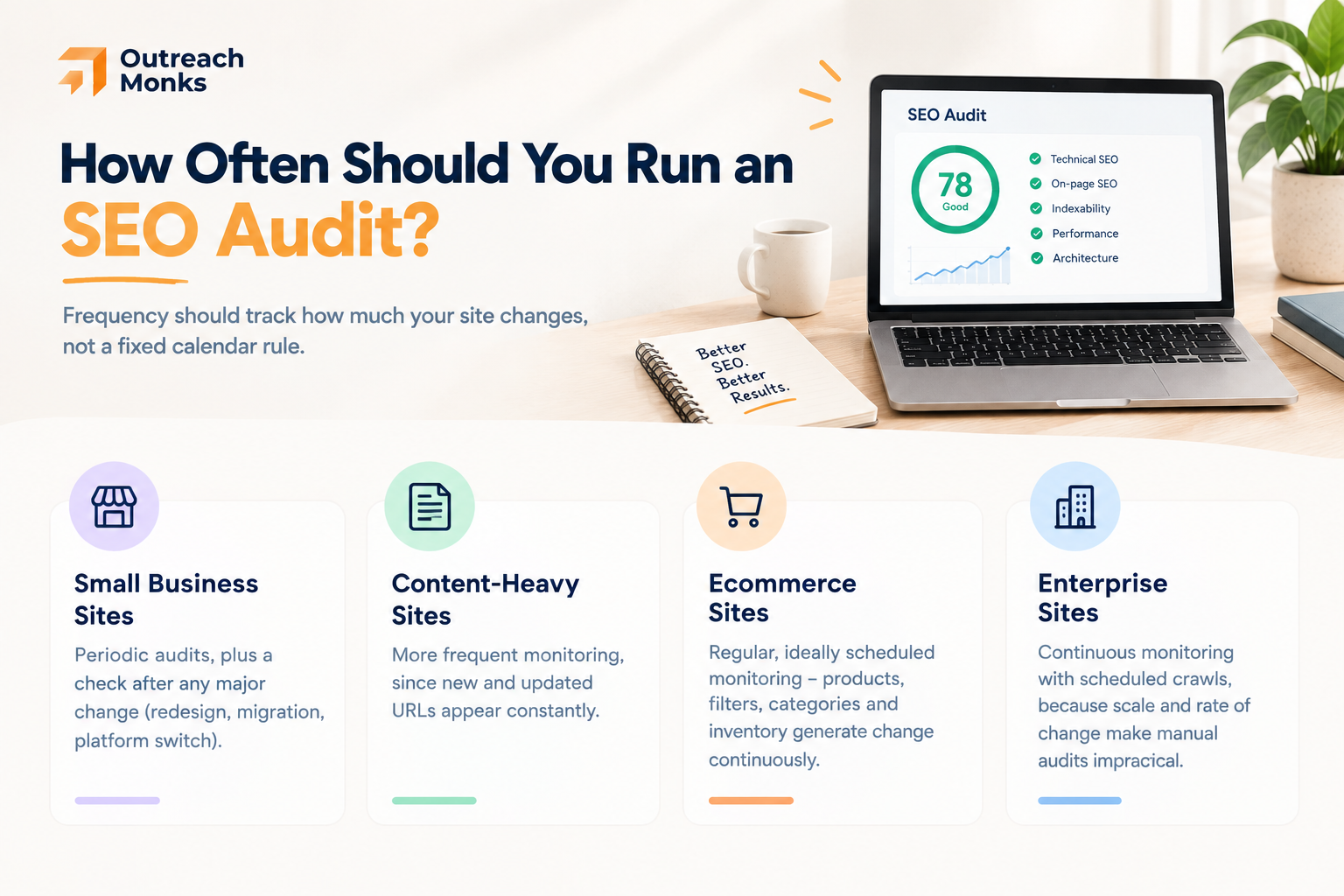
Frequency should track how much your site changes, not a fixed calendar rule:
- Small business sites: periodic audits, plus a check after any major change (redesign, migration, platform switch).
- Content-heavy sites: more frequent monitoring, since new and updated URLs appear constantly.
- Ecommerce sites: regular, ideally scheduled monitoring – products, filters, categories, and inventory generate technical change continuously.
- Enterprise sites: continuous monitoring with scheduled crawls, because scale and rate of change make manual, occasional audits impractical.
- The bigger, faster-changing, and more technically complex the site, the more continuous the monitoring should be.
Conclusion
There’s no single “best” SEO audit tool – only the right one for your site and workflow, usually alongside one or two others. Need an all-in-one platform? Reach for Semrush, Ahrefs, SE Ranking, or Moz. Need to go deep on technical crawling? Screaming Frog or Sitebulb won’t miss a broken tag. Want fast, client-ready audits? SEOptimer or Sitechecker get you there. Want it straight from the source? Google Search Console belongs on every site, no exceptions.
And if you just need a sane starting point, Morningscore keeps it simple. But here’s the part worth remembering: an audit tool finds and ranks your problems – it doesn’t fix them, and it definitely doesn’t promise rankings. The real value is in the judgment you bring afterward: matching what’s on your site to what Google actually sees, and fixing only what genuinely moves the needle.
And once your technical house is in order, that judgment has to extend off-site too – because no audit tool, however good, can build the authority that comes from earning real backlinks and brand mentions on relevant, trustworthy websites.
That’s where Outreach Monks comes in, pairing clean technical foundations with manual, white-hat outreach built for both traditional rankings and AI-search visibility.
Frequently Asked Questions
What is an SEO audit tool?
An SEO audit tool analyzes a website for technical, on-page, indexing, performance, and structural issues that could affect search visibility, then reports and usually prioritizes what it finds so you can fix the problems that matter.
What are the best SEO audit tools in 2026?
Popular options include Semrush, Ahrefs, Screaming Frog, Sitebulb, SE Ranking, Moz Pro, SEOptimer, Sitechecker, Google Search Console, and Morningscore. The right one depends on your site's size, technical requirements, budget, and workflow – and most teams combine two or three.
Are free SEO audit tools good enough?
For basic checks and smaller sites, yes – Google Search Console plus a free Screaming Frog crawl covers a lot. Larger sites and professional teams generally need paid tools for advanced crawling, historical data, scheduled audits, exports, and deeper analysis.
What is the best free SEO audit tool?
Google Search Console is the most important free resource, because it provides Google's own data on indexing, search performance, and page status – information no third-party crawler can replicate.
Is Screaming Frog better than Semrush for SEO audits?
They serve different workflows. Screaming Frog is a dedicated technical crawler with extensive URL-level control; Semrush combines site auditing with a much broader SEO and marketing platform. Many teams use both.
Is Ahrefs good for technical SEO audits?
Yes. Ahrefs Site Audit checks technical and on-page issues including indexability, redirects, duplicate content, internal links, structured data, JavaScript, and performance – and pairs them with its backlink and keyword data.
How often should I run an SEO audit?
It depends on site size, how often pages change, and technical complexity. Frequently changing sites – especially ecommerce and content-heavy ones – benefit from regular or continuous monitoring; smaller, stable sites can audit periodically and after major changes.
Can an SEO audit tool improve Google rankings?
Not on its own. An audit tool identifies issues that may be limiting crawling, indexing, performance, or on-page optimization – but the actual fixes, plus content quality and broader strategy, are what move rankings. The software diagnoses; it doeosn't cure.
What does a technical SEO audit check?
Crawlability, indexability, redirects, status codes, canonical URLs, robots.txt, XML sitemaps, JavaScript rendering, site architecture, internal links, HTTPS, and performance.
Can SEO audit tools find indexing problems?
Many can flag technical signals associated with indexability, but Google Search Console provides the most reliable first-party information about Google's actual indexing status and the specific reasons URLs may not be indexed.
Do SEO audit tools check Core Web Vitals?
Many modern platforms include Core Web Vitals or related performance data – Ahrefs, SE Ranking, and Google Search Console among them – though the underlying data sources and presentation differ between tools.
Can SEO audit tools help with AI search visibility?
Some now include AI-search and crawler-accessibility checks – Semrush, for example, checks AI crawler access within Site Audit. These confirm AI systems can reach and read your content, which is a prerequisite for appearing in AI answers, but accessibility alone doesn't guarantee citation.