
Quick answer: Our stack is Ahrefs for topics, AlsoAsked for reader questions, Surfer for briefs, ChatGPT for drafts, Grammarly for polish, Copyscape for originality, and Google Search Console for results. Entry plans for six of them cost about $222 a month.
Most tool lists show prices but not how the tools fit together or where a person has to step in. This one covers both.
As zero-click searches and AI answers grow, each page has to be useful on its own. Tools speed up the work. They can’t decide what is worth saying.
*This is the stack we use. It is our choice based on published product information, not a test of output quality. Prices are list prices and may change.*
Why We Share Our Stack
We use AI content creation for research, outlines, and drafts, with people handling expertise and accuracy. Each tool below has one job, and we picked tools that overlap as little as possible.
Google says AI can help with research and structure, but generating many pages without adding value may violate its spam policy. It also says it is “critical to manually factcheck and review all AI-generated content for accuracy and trustworthiness before publishing.” See Google’s guidance on generative AI content.
The Seven at a Glance
| Tool | Job | Starting Price | Main Limit |
|---|---|---|---|
| 1. Ahrefs Keywords Explorer | Topic research | $129/month | Highest cost; says what to write, not how |
| 2. AlsoAsked | Reader questions | $12/month | No volume or difficulty data |
| 3. Surfer | Briefs and coverage checks | From $49/month, billed yearly | Its score is not a Google metric |
| 4. ChatGPT | Drafting | $20/month | Can state false facts |
| 5. Grammarly | Polish and house style | Free; Pro $12/month | Checks writing, not accuracy |
| 6. Copyscape Premium | Duplicate text checks | 3 cents per search | Matches wording, not ideas |
| 7. Google Search Console | Results and refresh | Free | Your own sites only |
Stage 1: Research
1. Ahrefs Keywords Explorer

Used for: Choosing topics and reading the results page before any brief
| Snapshot | Details |
|---|---|
| Price | Lite $129/month; Standard $249; Advanced $449; Enterprise $1,499 |
| Strongest point | Traffic Potential and Parent Topic show how big a topic is |
| Watch out for | Largest cost in the stack; says what to write, not how |
Keyword Difficulty reflects backlinks, not how hard a page is to write. Read the live results yourself before you commit to a topic.
2. AlsoAsked
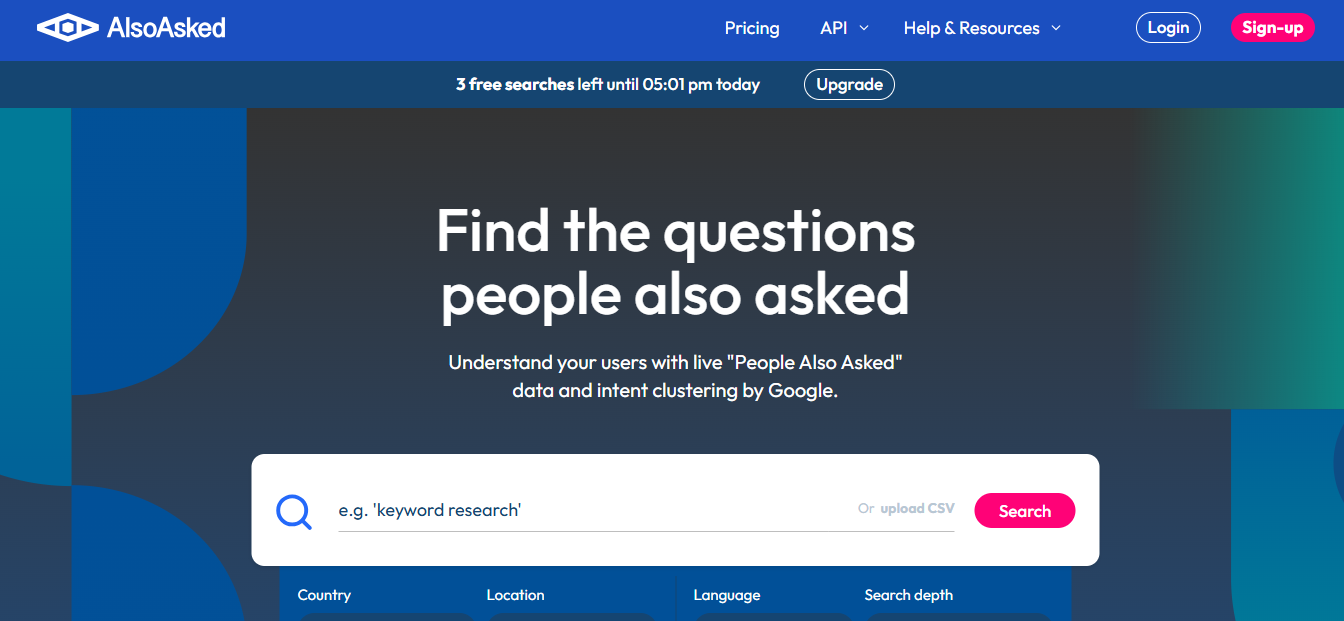
Used for: Turning a topic into the questions readers ask next
| Snapshot | Details |
|---|---|
| Price | Basic $12/month (100 credits); Lite $23 (300); Pro $47 (1,000) |
| Strongest point | Maps People Also Ask questions into branching trees |
| Watch out for | No search volume or difficulty data; credit limits |
The questions it finds make good headings and FAQs, and they help with featured snippets. See also People Also Search For.
Prices exclude tax. The page mentions free monthly credits for unregistered users but doesn’t say how many.
Stage 2: Briefing
3. Surfer
Used for: Briefs from same-intent competitors and light coverage checks after drafting
| Snapshot | Details |
|---|---|
| Price | Discovery from $49/month, billed yearly; Standard, Pro, and Peace of Mind above it |
| Strongest point | Turns research into a usable brief |
| Watch out for | Content Score is Surfer’s own metric, not Google’s |
Surfer builds guidelines from top-ranking pages and its Outline Builder drafts a structure. Don’t chase the score, because it can push pages toward copying existing results.
It can suggest internal links, but a person should choose the pages and anchors. Review how internal links are meant to work and watch for orphan pages.
AI visibility tracking costs extra, from about $82 a month. Surfer says a 7-day free trial of Pro is available, and yearly billing saves up to 17%. We recommend using the plan for AI visibility tracking only if you need it.
Stage 3: Drafting
4. ChatGPT
Used for: Tightening outlines and turning notes or transcripts into first drafts
| Snapshot | Details |
|---|---|
| Price | Plus about $20/month; Business $20 per user monthly on annual billing, $25 on monthly billing (2 users minimum) |
| Strongest point | Speeds up the mechanical part of drafting |
| Watch out for | Can state false facts; check every claim |
Business plans state “no training on your data,” so we use them when client material is involved. Claude or Gemini could fill the same role.
Stage 4: Editing and Checking
5. Grammarly
Used for: Final polish after the fact check
| Snapshot | Details |
|---|---|
| Price | Free (100 AI prompts); Pro $12; Enterprise on request |
| Strongest point | Catches clarity, tone, and consistency issues |
| Watch out for | Checks writing, not accuracy |
Pro adds plagiarism and AI text detection. Treat the detection scores as a prompt for a closer look, not a verdict.
6. Copyscape Premium

Used for: A final originality check before publishing
| Snapshot | Details |
|---|---|
| Price | 3 cents per search up to 200 words, plus 1 cent per extra 100 words |
| Strongest point | Cheap per article; private index for your own content |
| Watch out for | Matches wording, not ideas; doesn’t detect AI authorship |
A 2,000-word article costs about 21 cents. Batch search covers up to 10,000 pages. It helps when rewording existing web content. A clean result doesn’t mean the page adds anything new.
Stage 5: Measurement
7. Google Search Console
Used for: Deciding what to refresh
| Snapshot | Details |
|---|---|
| Price | Free |
| Strongest point | The only real Google search data in the stack |
| Watch out for | Your own sites only; average position blends many queries |
| Snapshot | Details |
|---|---|
| Price | Free |
| Strongest point | The only real Google search data in the stack |
| Watch out for | Your own sites only; average position blends many queries |
The Performance report shows impressions, clicks, CTR, and average position. Use our CTR calculator to judge titles. Know the difference between Search Console and Google Analytics.
When Tools Overlap
- Drafting: Draft in ChatGPT. Use Surfer for guidelines and checks.
- Plagiarism: Copyscape is the dedicated check. Grammarly’s is a convenience.
- Search intent: Tool guesses don’t replace reading the live results.
- Internal links: Surfer can suggest them. A person decides.
What the Stack Costs
| Setup | Tools | Monthly cost |
|---|---|---|
| Full | Ahrefs, AlsoAsked, Surfer, ChatGPT, Grammarly, Search Console | About $222, plus Copyscape |
| Lean | Search Console, AlsoAsked, an AI assistant, Grammarly | About $44 |
Costs rise with extra seats.
The Workflow
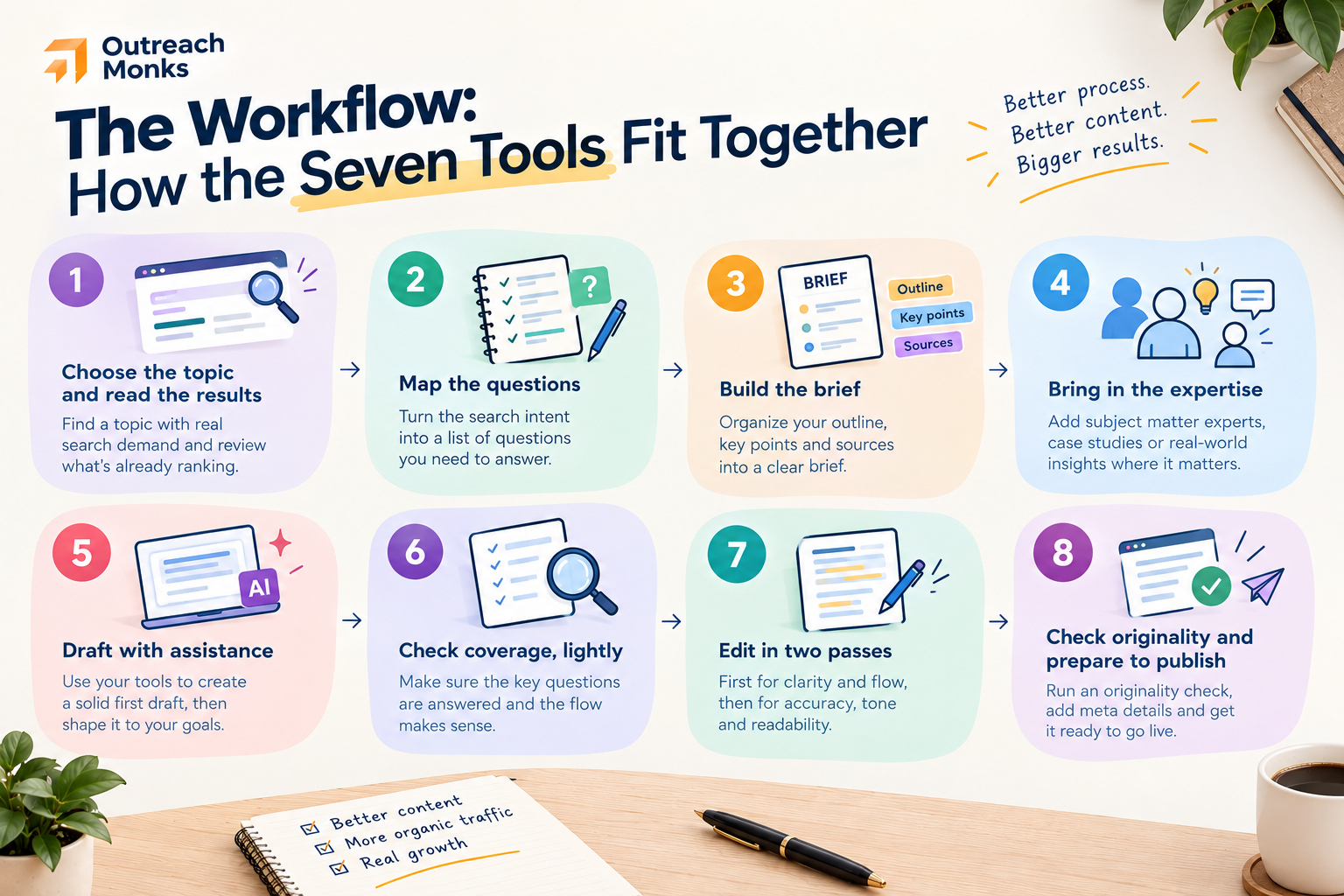
- Choose the topic and read the live results in Ahrefs. A person decides intent and what to add.
- Map reader questions in AlsoAsked for headings and FAQs.
- Build the brief from Surfer guidelines, adding your angle and expert contributors.
- Gather expertise: interviews, first-hand examples, original data.
- Draft with an AI assistant. The writer owns the argument.
- Check coverage in Surfer without chasing the score.
- Edit twice: substance and fact check first, then Grammarly.
- Finish: run Copyscape, add internal links, validate markup with our schema generator, and disclose AI use where it fits.
- Measure and refresh in Search Console. Plan the next steps with an SEO roadmap, use content atomization to repurpose, and pursue editorial links.
What Tools Can’t Decide
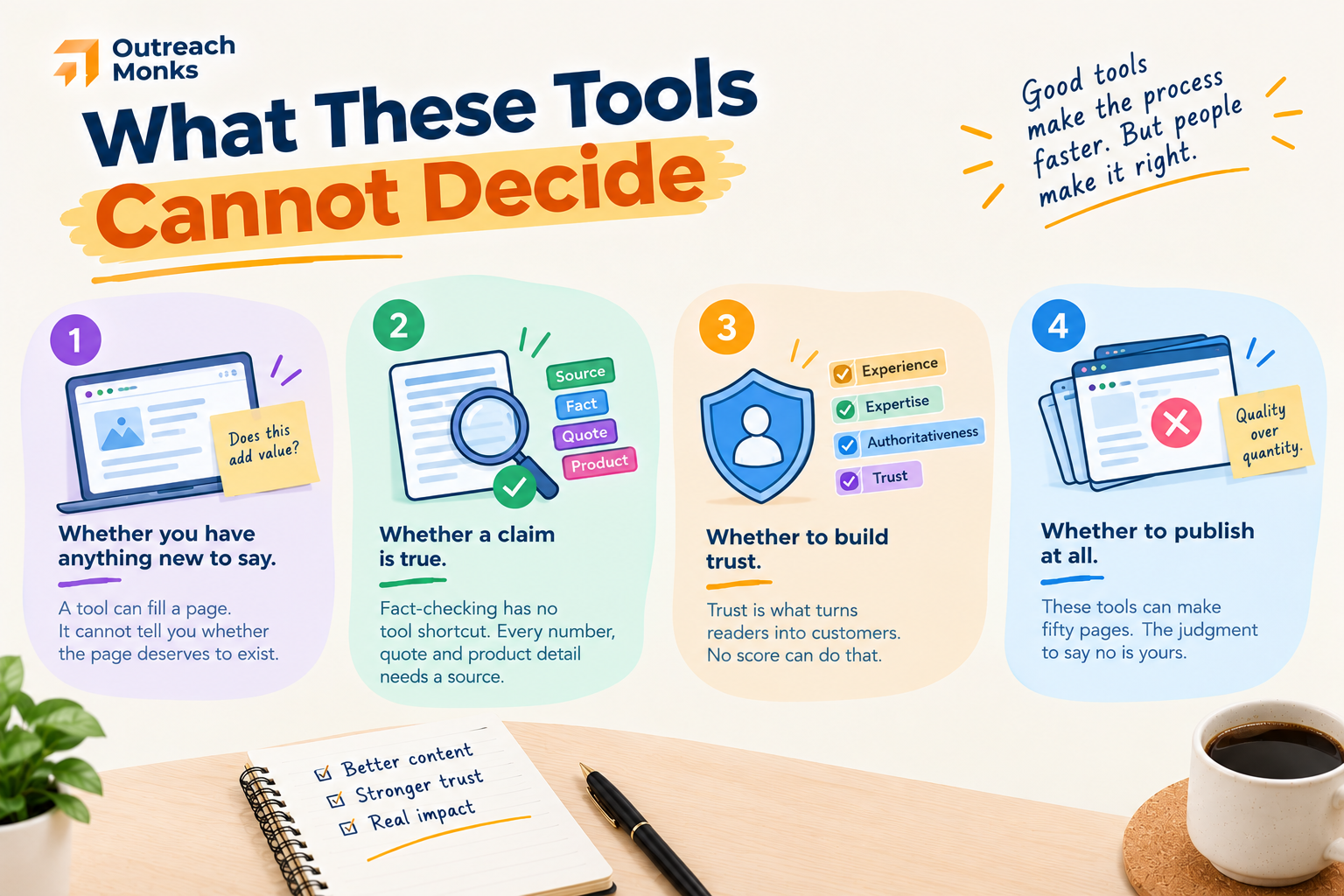
- Whether the content offers something new
- Whether a claim is true. Source every figure.
- Whether readers will trust it, which depends on named authors and honest sourcing
- Whether to publish at all. Fewer, better pages beat volume.
Final Thoughts
Tools speed up the work. A skilled writer, a fact-checking editor, and real subject expertise produce the result.
If you’d rather not run this yourself, compare DIY SEO with our content creation service or SEO packages.
Frequently Asked Questions
Do SEO agencies use AI to write content?
Many do, for research, briefs, and drafts, with people handling expertise and accuracy. Google doesn't prohibit AI-assisted content, but mass-producing unhelpful pages can violate its spam policy.
What is the best tool for optimizing content?
It depends on the job. Ahrefs suits topic choice, Surfer suits briefs and coverage, and Search Console suits results. No single tool covers everything, and none guarantees rankings.
Can AI-written content rank?
Yes, if it is accurate and useful. Scaled, thin pages are the risk.
How do you keep AI content from sounding generic?
Add expert quotes, first-hand examples, original data, and a clear point of view, then edit heavily. A sharper brief helps more than prompt tricks.
What catches duplicate or low-quality content?
Copyscape catches duplicate text and Grammarly catches clarity issues. Neither measures quality, so an editor should review against people-first criteria.
How much does the stack cost?
About $222 a month at entry plans, plus roughly 21 cents per article for Copyscape. A four-tool version costs about $44.
